Written by Malik Rashid, Founder at Boost Branding | Published: September 26, 2026 | Last updated: October 1, 2026
Your website works harder than you probably realize. It’s often the first place someone lands after finding you on Google, clicking an ad, or hearing about you from a friend, and within seconds they decide whether to stay or leave. That decision comes down to two things working together: web design and web development. At Boost Branding, we build both for clients every day.
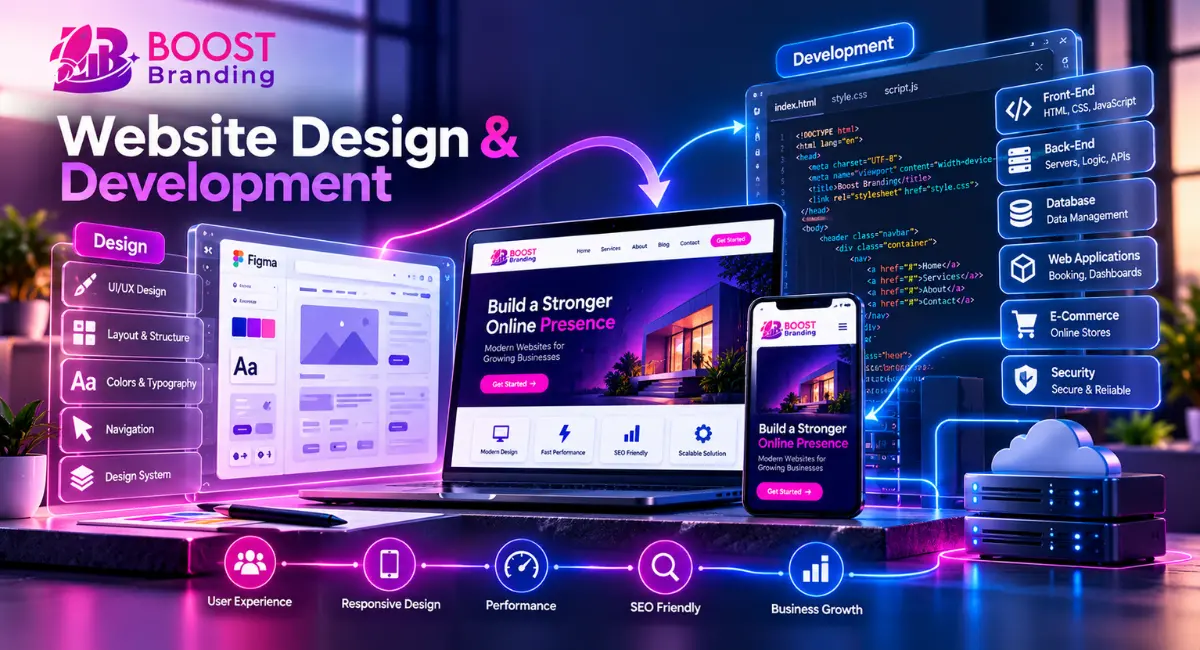
Quick Answer: Website design covers how a site looks and feels: layout, colors, navigation, and user experience. Website development covers how it works: the code that makes it fast, secure, and functional. A successful site needs both, planned together from the start.
Below, we cover what each side involves, how they affect your SEO and your bottom line, what a typical project looks like from start to launch, and the questions business owners ask most before investing in a new site. If you’d rather talk through your project directly, get in touch with our team.
Why Your Website’s Design Matters for Your Business
The design of a website is often the first real impression a potential customer has of your business. Before they read a single word of your copy, they’re forming an opinion based on layout, colors, spacing, and how easy it is to find what they’re looking for. Research from the Stanford Web Credibility Project found that visitors judged a site’s credibility more on its visual design than on any other factor, with nearly half of their comments focused on how the site looked.
This matters more than most business owners expect. A cluttered layout, an outdated look, or confusing menus can push a visitor away in seconds, even if your products or services are excellent. On the flip side, a clean, well-organized site signals that you’re professional and that you take your business seriously. That signal alone can be the difference between someone filling out a contact form and someone hitting the back button.
Modern design tends to favor clean layouts and simplicity over dense, cluttered pages, and that shift is driven partly by how people actually browse on phones. Good design also does practical work behind the scenes. It guides the eye toward calls to action, breaks up information so it’s easy to scan, and makes sure your most important content doesn’t get lost. None of that happens by accident. It’s the result of deliberate design principles applied to your specific business and audience. Color, typography, and spacing are some of the most basic elements of design, and getting them right is what separates a site that feels put-together from one that feels thrown together.
What Is the Difference Between Web Design and Web Development?
This is one of the most common questions we hear, and for good reason. The terms get used all the time interchangeably, but they’re not the same job.
Web design is the process of planning how a website looks and how users move through it. A web designer focuses on layout, color schemes, typography, imagery, and the overall user experience. They’re the ones deciding where the main menu sits, what the homepage should highlight first, and how the site should feel to someone browsing it. This kind of work is sometimes grouped under graphic design when the focus is purely on imagery and branding elements, though web design also covers structure and usability, not just visuals.
Web development is the process of building that design into a working website. A web developer, sometimes just called a developer, takes the design and turns it into functioning web pages using code such as HTML, CSS, and JavaScript. Development also includes back-end work, meaning the server-side logic, databases, and systems that make forms submit, pages load, and features actually run. Website development has changed a lot over the years, with modern frameworks making it faster to build complex sites than it used to be.
Here’s a look at the key differences at a glance:
| Aspect | Web Design | Web Development |
|---|---|---|
| Main focus | How the site looks and feels | How the site works and functions |
| Core tools | Design tools like Figma, Adobe XD | Code editors, HTML, CSS, JavaScript |
| Key skills | Visual design, UX design, layout | Front-end and back-end development, problem-solving |
| Typical output | Wireframes, mockups, design files | Working web pages and applications |
| Who does it | Web designer, UI/UX designer | Developer (front-end or back-end) |
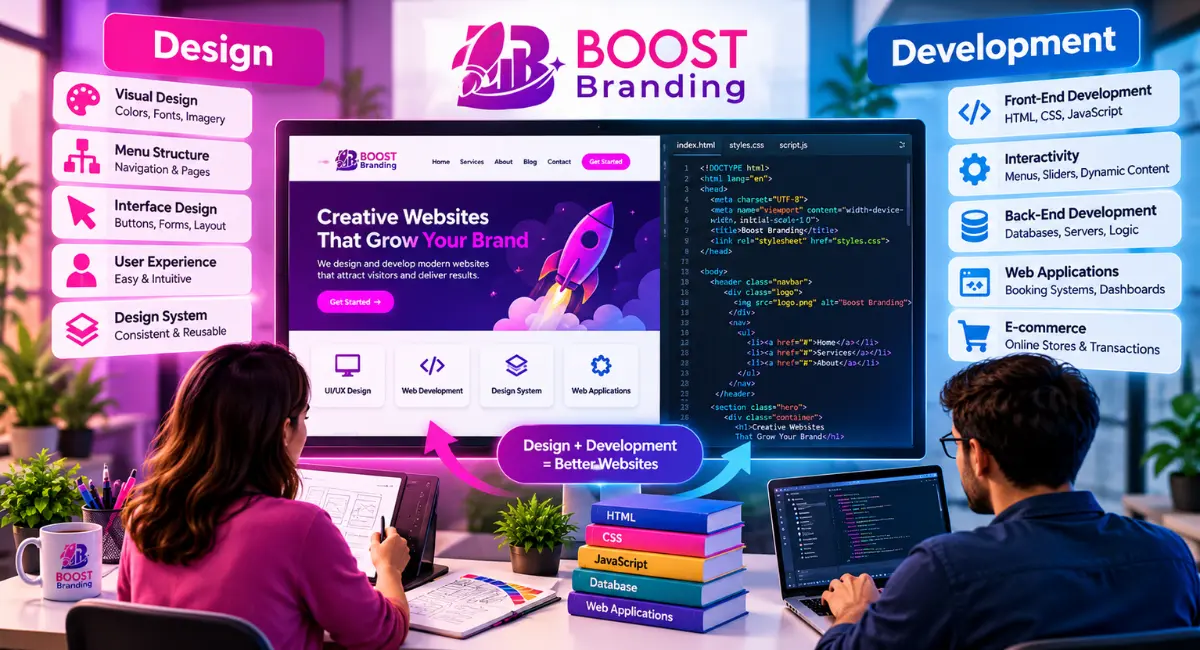
Neither side works well alone. A beautifully designed site with poor development behind it will be slow or buggy. A well-built site with weak design will look unprofessional and confuse visitors. That’s why design and development work together, ideally from the same team or at least in close coordination, on every project, and it’s why we handle both in-house at Boost Branding rather than splitting design and development across separate vendors who never talk to each other.
The Core Elements of a Website (Design and Development Working Together)
A website is made up of a lot of moving parts, and each of the different aspects of a website falls under either design or development, even if the split isn’t always obvious to a visitor.
On the design side, you’ve got visual design (colors, fonts, imagery), menu structure (how links and pages are organized), and interface design, which covers things like buttons, forms, and the overall layout of each page. This is often referred to as user interface design, or UI design for short. User experience design ties all of this together by focusing on how easy and intuitive the site feels to actually use. A design system, meaning a consistent set of reusable components and styles, helps keep the visual elements of a website cohesive as it grows.
On the development side, front-end development handles everything the visitor directly interacts with. This is built using HTML for structure, CSS for styling, and JavaScript for interactivity, like dropdown menus, sliders, or dynamic content that updates without reloading the page. Back-end work, sometimes called back-end web development, handles what’s happening behind the scenes: databases, servers, and the logic that processes things like form submissions, user logins, or e-commerce transactions.
When people talk about “web applications,” they usually mean sites that go beyond static pages and involve more complex back-end functionality, like booking systems, dashboards, or membership portals. These require deeper development work than a standard business website.
How Web Design and Development Impact SEO
Here’s something a lot of business owners don’t realize until later: your site’s design and development choices directly affect how well it ranks on Google.
Core Web Vitals are the metrics Google uses to measure real-world user experience. There are three: Largest Contentful Paint (LCP), which measures loading speed and should be under 2.5 seconds; Interaction to Next Paint (INP), which measures how quickly the page responds when someone clicks or taps, and should be under 200 milliseconds; and Cumulative Layout Shift (CLS), which measures visual stability and should stay under 0.1. These numbers aren’t abstract. They come straight from development decisions, like how images are optimized and how efficiently the code is structured.
Responsive design also plays a direct role. Since the majority of web traffic now comes from mobile devices, Google evaluates your mobile site as the primary version for ranking purposes (a practice known as mobile-first indexing). If website design and development aren’t handled with mobile in mind, it can hurt your visibility in search results, not just your web experience.
Navigation and site structure matter too. A clearly organized site helps search engines understand what your pages are about and how they relate to each other, which supports better indexing. Clean, well-structured HTML also makes it easier for search engines to crawl and understand your content.
In short, SEO isn’t something you add after your site is built. Good developers build it in from the start. If it’s skipped, fixing it later costs more time and money.
This is exactly where a lot of businesses lose out. They hire a designer for the look and a separate developer for the build, and SEO falls through the cracks between the two. At Boost Branding, our web design and development services are built as one connected process, so speed, mobile performance, and SEO fundamentals are part of the plan from day one, not a fix-it-later problem.
The Web Design and Development Process (Step by Step)
Every agency does this a little differently, but here’s what a solid design process generally looks like, and it’s the same core stages our team follows at Boost Branding, whether we’re creating a website for a client from scratch or handling a full redesign.
It usually starts with design and prototyping. This is where wireframes and mockups get created, often in a design tool like Figma, so the client can see and approve the layout before any code gets written. This stage locks in the visual direction and key design elements before development begins.
From there, front-end development takes over, turning the approved design into real HTML, CSS, and JavaScript that runs in a browser. Once the front end is functional, back-end development is layered in wherever needed, connecting forms, databases, or other server-side functionality. Larger development projects may move through several rounds of review at this stage, while smaller ones can move through it quickly.
Testing happens throughout the web design and development process, not just at the end. Developers and designers check that the site works across browsers, loads at an acceptable speed, and holds up on different screen sizes. This covers several aspects of web development at once, from basic functionality to security and performance.
What Happens Before the Website Goes Live?
Before launch, a website typically goes through final QA testing, cross-browser and cross-device checks, content review, and a technical check of things like meta tags, page speed, and mobile responsiveness. Most agencies also run a staging version of the site so the client can review it in a near-final state before it goes public. Once everything checks out, the site is deployed to the live domain.
How Much Does Website Design and Development Cost?
WordPress suits most business websites. It’s faster to launch, easier to update without a developer, and has a large plugin ecosystem. Custom development makes sense when you need features that off-the-shelf tools can’t handle well, like complex user accounts, unusual integrations, or very high traffic.
| Project type | What it usually includes | Typical timeline | Starting price |
|---|---|---|---|
| Starter website | Up to 5 pages, template-based design, contact form, basic SEO setup | 2 to 4 weeks | 15,000 |
| Business website | 8 to 15 pages, custom design, blog, SEO and speed setup, analytics | 4 to 8 weeks | 30,000 |
| E-commerce website | Product catalog, cart and checkout, payment gateway, inventory setup | 8 to 12 weeks | 50,000 |
| Custom web application | Booking systems, dashboards, client portals, custom back-end | 12 weeks or more | 150,000 |
If you’re not sure which fits, start with what the site needs to do in the next two years, then choose the simplest tool that covers it.
How to Choose a Web Design and Development Agency
A good agency is easy to check before you sign anything. Here’s what to look for.
- Real portfolio: Look at live sites they’ve built, and open them on your phone. Check that they load fast and look right.
- Process clarity: They should explain how a project runs, from discovery to launch, and what you’ll be asked to provide.
- A written scope: Pages, features, revisions, and timeline should be in writing, along with what costs extra.
- SEO and speed included: Ask whether redirects, meta tags, mobile performance, and Core Web Vitals are part of the build.
- Ownership: You should own your domain, hosting account, and site files after launch.
- Post-launch support: Ask what happens if something breaks a month later, and whether maintenance is offered.
Be careful with quotes that are far below everyone else’s, agencies that won’t show past work, and anyone who can’t explain what you’ll get for the price.
Frequently Asked Questions
Why is my website’s design important for my business?
Your website’s design shapes the first impression visitors have of your business, and that impression directly affects whether they trust you enough to stay, browse, or make contact. A professional, well-organized design builds credibility, while a dated or cluttered one can drive potential customers away within seconds, regardless of how good your actual products or services are.
Design also plays a functional role beyond first impressions. It guides visitors toward the actions you want them to take, whether that’s calling your business, filling out a form, or making a purchase, and it makes your content easier to read and act on.
How can I make my website visually appealing to attract more customers?
A visually appealing website typically comes down to a few consistent design principles: clean layout, a limited and intentional color palette, readable typography, and high-quality imagery. Avoiding visual clutter and giving your content room to breathe (what designers call white space) makes a site feel more premium and easier to use.
It also helps to review a few design options before settling on a final direction, and to look at successful web design in your industry for inspiration, not to copy directly, but to understand what visual style resonates with your specific audience. A B2B software company and a boutique bakery will have very different definitions of “visually appealing,” and your design should reflect your actual customers, not a generic trend.
What strategies can improve my website’s functionality?
Improving website functionality usually starts with speed, since slow-loading pages frustrate users and hurt SEO. Optimizing images, using clean code, and choosing reliable hosting are all practical steps that make a measurable difference.
Beyond speed, an intuitive menu, mobile responsiveness, and functional forms (that actually send inquiries where they need to go) are the basics every business site needs to get right. For more complex needs, like booking systems or customer portals, that functionality has to be planned during development rather than added on later.
Will redesigning my website affect my marketing campaigns?
Yes, a website redesign can affect active marketing campaigns, particularly if URLs change, landing pages move, or tracking codes aren’t properly transferred. This is a common and avoidable mistake.
To prevent disruption, a good development team will set up proper redirects for any changed URLs, retest all conversion tracking (like Google Ads or Meta Pixel), and coordinate launch timing with your marketing team so campaigns don’t send traffic to broken or outdated pages during the transition. This is a standard part of how we handle redesigns for clients at Boost Branding, precisely so a site relaunch doesn’t quietly break campaigns you’re already paying for.
How do you ensure my website captures leads accurately after launch?
Lead capture accuracy after launch depends on thoroughly testing every form, tracking script, and integration before and immediately after the site goes live. This includes checking that form submissions actually reach your inbox or CRM, and that analytics and conversion tracking are firing correctly.
It’s also worth running a test submission yourself right after launch and checking again a few days later, since some integration issues don’t show up immediately.
Will my new website work effectively across mobile devices?
A properly built website should work effectively across mobile devices if it’s built using responsive web design, which automatically adjusts layout, images, and menu placement based on screen size. This isn’t optional at this point. The majority of web traffic globally comes from mobile devices, and Google evaluates the mobile version of your site for ranking purposes.
That said, “responsive” and “actually good on mobile” aren’t always the same thing. It’s worth testing your site on multiple real devices, not just a browser’s mobile preview, before considering the mobile experience finished.
What is the difference between web design and web development?
Web design focuses on how a website looks and how users experience it, while web development focuses on building the code that makes the site actually function. We cover this in more detail earlier in this guide, including a full comparison table of how the two disciplines differ in tools, skills, and output.
What makes a website SEO-friendly?
An SEO-friendly website combines fast load times, mobile responsiveness, clean and well-structured code, a clear menu structure, and content that’s organized logically around what users are searching for. These factors align closely with Google’s ranking standards and mobile-first indexing.
Technical elements like descriptive alt text on images, properly structured headings, and a logical URL structure also contribute, since they help search engines understand and index your content correctly.
What are common mistakes to avoid in web design?
Some of the most common web design mistakes include cluttered layouts, inconsistent branding, slow load times caused by unoptimized images, a confusing menu, and designing without mobile users in mind. Chasing whatever the latest web design trends happen to be, without considering usability, is another frequent misstep, since a site can look impressive but still be genuinely hard to use.
Skipping user testing is another mistake worth calling out. What looks intuitive to a designer isn’t always intuitive to an actual visitor, and that gap only shows up when real users try the site.
Why is website speed important for SEO?
Page speed is one of the signals Google uses to evaluate page experience, and it feeds directly into Core Web Vitals. Relevance still matters most, but when two pages are close in quality, the faster one has an edge. Slow sites also see higher bounce rates, since people leave pages that take too long to load.
Speed issues are typically caused by unoptimized images, excessive scripts, or poor hosting, all of which fall under development rather than design. This is another reason design and development decisions need to be made together rather than in isolation.
What tools do professionals use for web design and development?
Web designers commonly use tools like Figma, Sketch, and Framer for creating mockups, wireframes, and design systems. These tools allow for collaborative design and prototyping before any code is written, and strong design skills matter here as much as knowing the software itself.
On the development side, professionals typically write code using HTML, CSS, and JavaScript for front-end work, alongside frameworks and languages suited to back-end development depending on the project’s complexity. Version control tools and code editors round out the standard toolkit for most development teams.
Bridging Design and Development with Figma
One of the biggest friction points in web projects used to be the handoff between designer and developer. Design files would get finished, then developers would have to guess or ask endless questions about spacing, colors, and exact measurements.
Tools like Figma have closed a lot of that gap. Since Figma allows developers to inspect exact CSS values and spacing directly from the design file, front-end work can move faster and match the intended design far more precisely. This is a big part of why modern web design and development can move faster than it did a decade ago, and it’s also why anyone considering a web design career today benefits from learning at least the basics of how developers work.
Ready to Start Your Website Design and Development Project?
Everything in this guide, from Core Web Vitals to menu structure to how design and development need to work together, is exactly what our team handles at Boost Branding, day in and day out. We’re not just explaining the process here. We run it, for real businesses, on real deadlines.
Whether you’re building a new website from scratch or rethinking one that isn’t pulling its weight anymore, the process works best when design and development are handled together from day one, not as two separate projects bolted together at the end. That’s how web design and development work at Boost Branding, and it’s the approach behind every one of the design and development projects we take on, whether you’re a small design business or an established brand that’s outgrown its current site.
Here’s what you get when you work with us:
- A single team handling both web design and web development, so nothing falls through the cracks between “how it looks” and “how it works”
- SEO and Core Web Vitals built into the site from the start, not patched in after launch
- A mobile-first, responsive build that’s actually tested on real devices, not just a browser preview
- Clear communication through every stage, from wireframes to the final live site
We offer full web design and development services, including web development services for businesses that need more than a template site and custom development projects for more complex needs like booking systems or client portals.
Get in touch today and let’s talk about what your website should actually be doing for your business.

One Reply on “Website Design and Development: A Complete Guide for Businesses in 2026”